 HuginNews Reader
Articles from your newsletter and RSS sources.Picked by you or by your AI assistant.
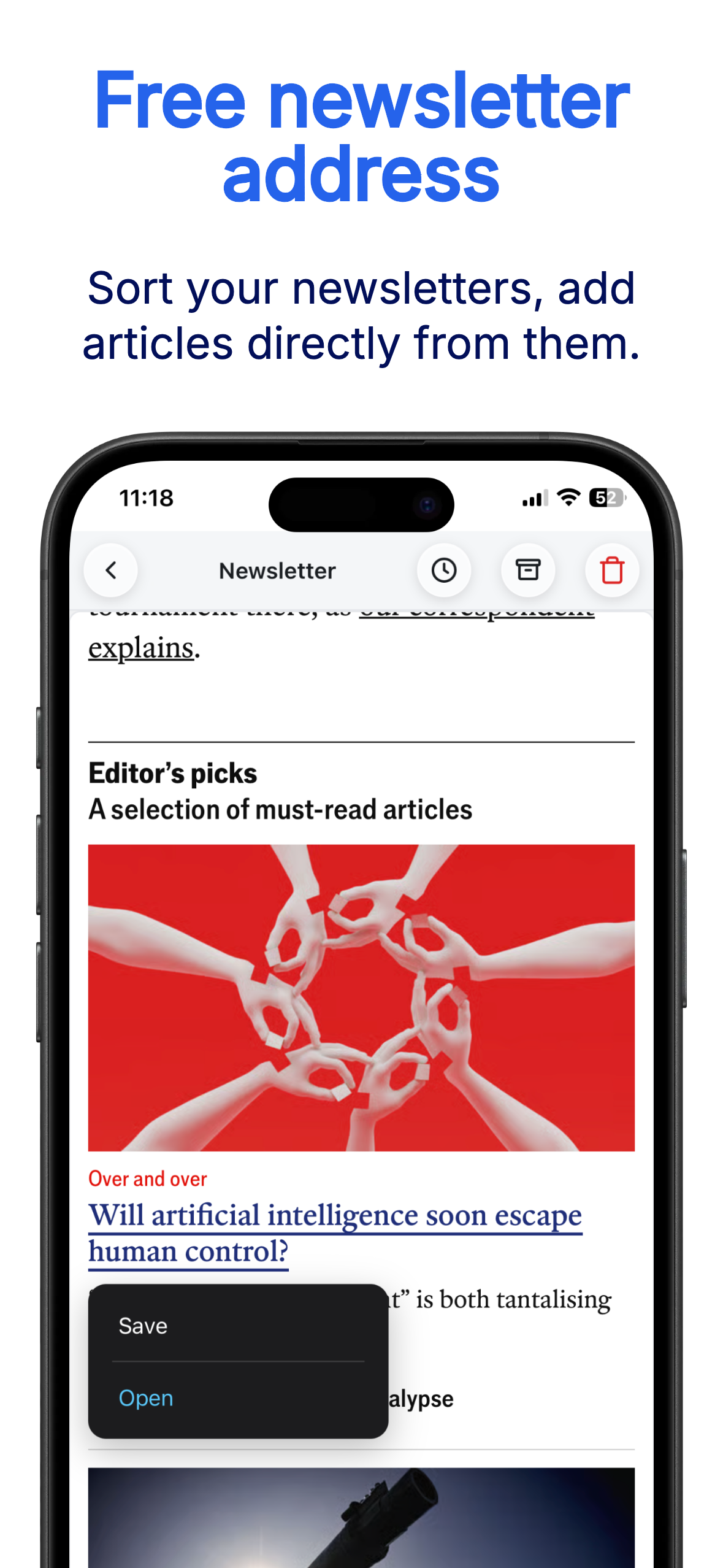
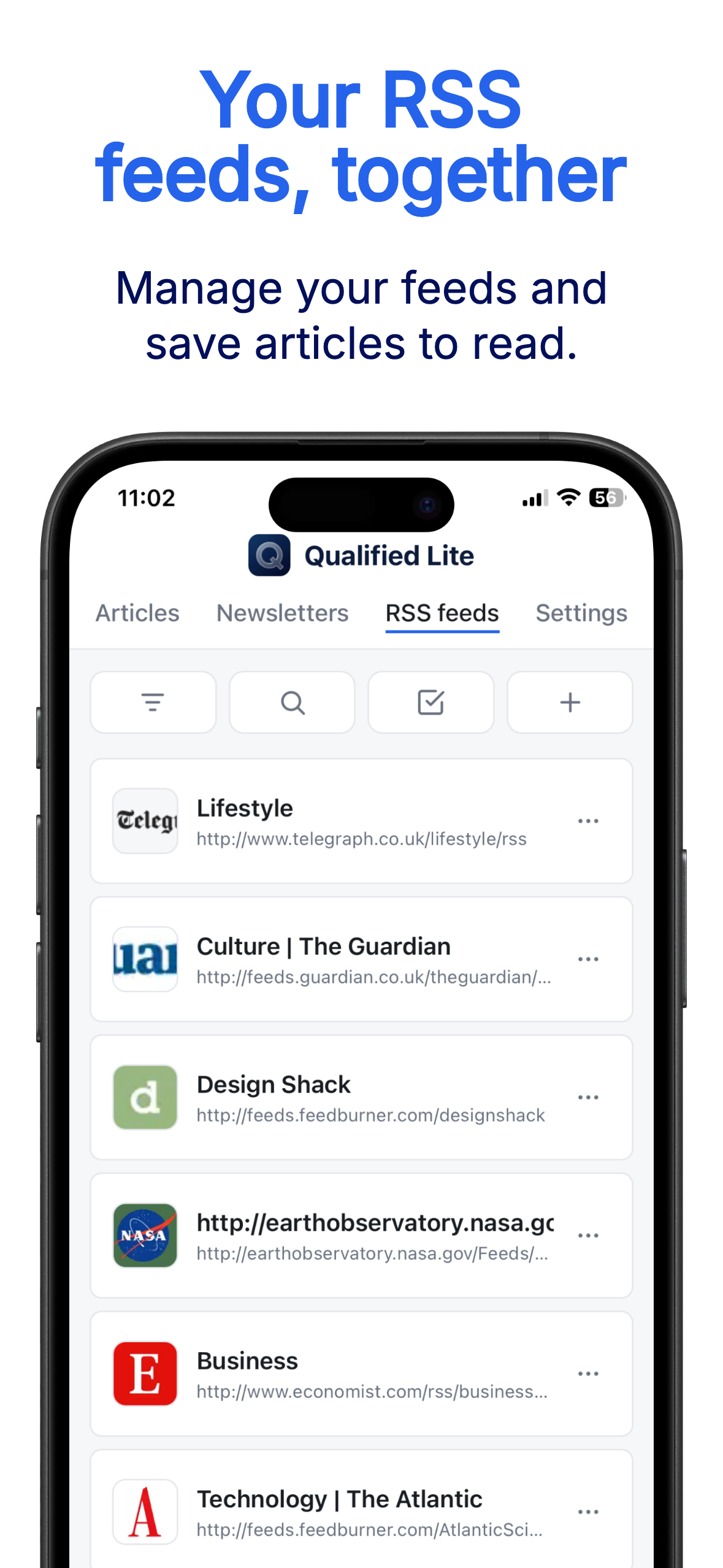
Hugin lets you read, save and sort articles from your newsletters and RSS feeds.
Connect your own AI assistant (Claude or ChatGPT) for free to browse your sources, give you a daily summary of your news and suggest a selection of articles to read, based on your criteria.
What information consumes is rather obvious: it consumes the attention of its recipients. Hence a wealth of information creates a poverty of attention, and a need to allocate that attention efficiently among the overabundance of sources that might consume it.
— Herbert Simon, 1971
No algorithm, just your news.
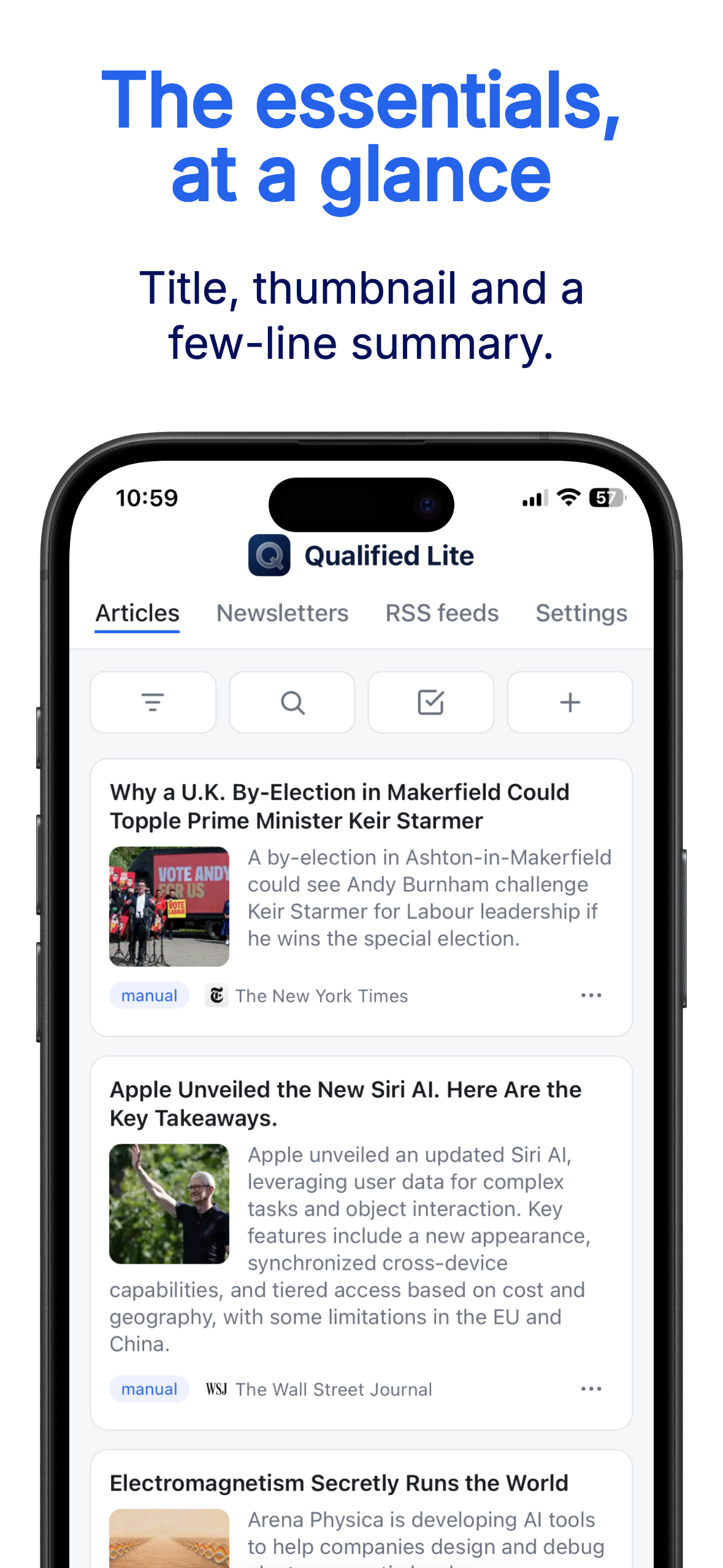
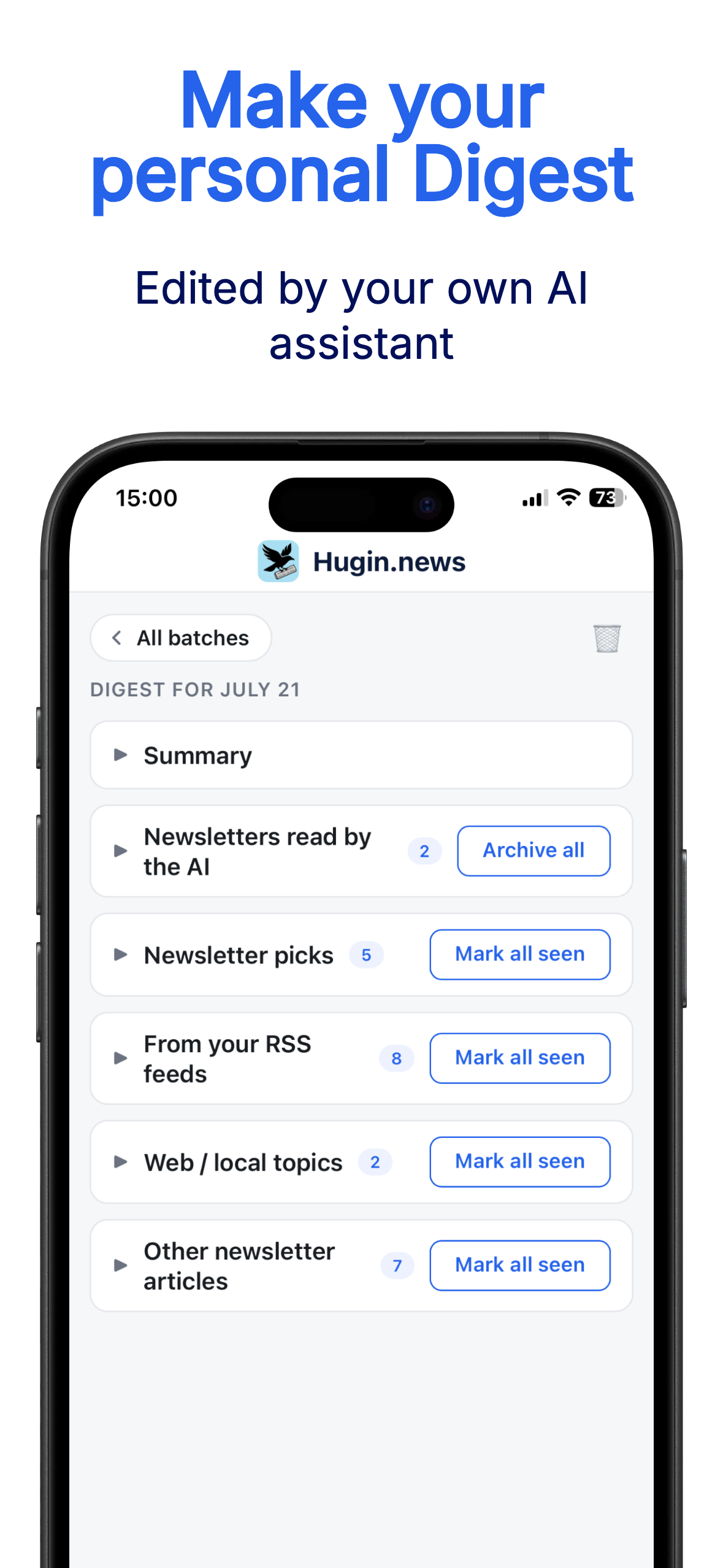
Ask your AI to do your press review, according to your preferences.
You can also ask it to summarize your articles, download them, or recap your month's news. Create your own prompts and get the most out of your news.
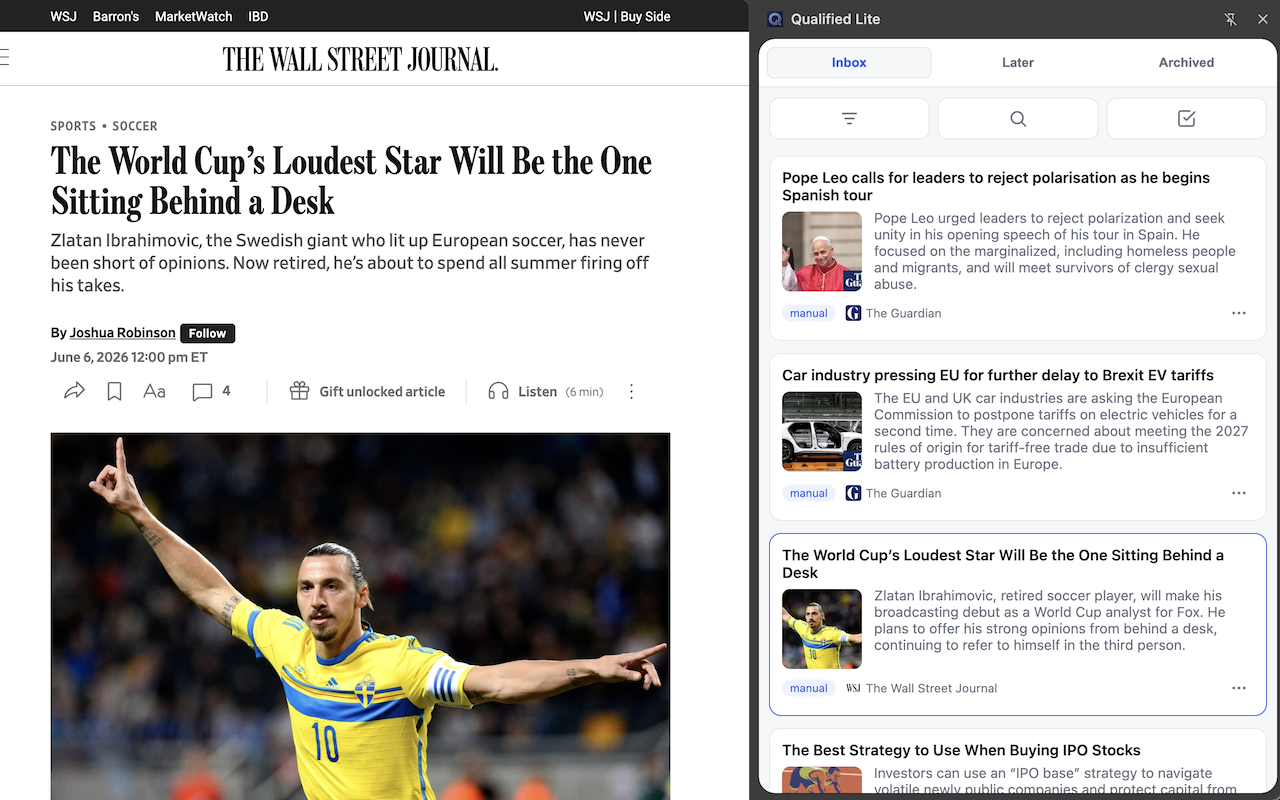
Stay focused with the Chrome extension.
FAQ
Why Hugin News Reader?
In Norse mythology, Hugin is Odin's messenger raven, who sets out at dawn to fly across the nine worlds and returns the next day to report the news. His name means "thought" or "mind".
The intent behind Hugin News Reader is to flip how your news works: it's no longer algorithms suggesting content to you, but your own AI assistant that takes your instructions and plugs into our interface to bring back the content that truly interests you.
Media outlets and social networks treat your attention as a resource to be exploited without your knowledge. Hugin wants to give you back control and let you focus on what matters to you.
How does Hugin News Reader work?
Hugin lets you receive your newsletters and RSS feeds, pin the articles that interest you, and access them in the app. You can connect your AI to it to get a debrief of your recent news, pre-sort the interesting articles, or create summaries. Your sources and your library are fully controllable by your AI.
Hugin can be used in a web browser or installed as an app on your smartphone or tablet. A Chrome extension also lets you download the content of your articles and read them more comfortably on your computer. It can be used as a ChatGPT app or as an MCP connector with Claude; for that, a subscription with an AI provider (OpenAI, Anthropic...) is generally required.
When you pin an article, only the URL and a few basic details (thumbnail, title and subtitle) are kept, which means that if a site stops maintaining the page, the article will no longer be accessible. The extension lets you enrich an article to save its full content to your library, or download it to your computer as a markdown file.
Pricing
The free plan gives you access to every feature, with limited quotas that are often enough for moderate use.
You can subscribe to benefit from higher quotas, for €3 per month or €20 per year.
Free usage limits
- Open 5 new newsletters per day (unlimited re-reads)
- 10 RSS feed subscriptions
- Save 10 articles per day
- Keep 500 articles and the last 50 newsletters received
Subscription usage limits
- Unlimited newsletter opens
- 50 RSS feed subscriptions
- Save 50 articles per day
- Keep 5000 articles and the last 500 newsletters received
How do I receive a newsletter on Hugin?
A newsletter address is provided when you sign up; you can find it in Account, and in Newsletters, from “+”. You can use it in several ways. Some methods require you to “verify” your newsletter address: you'll then need to grab the verification email received in the “Newsletter” tab and open the verification link in your browser.
Direct signup
You can sign up directly to newsletters using the address provided to you.
Forward from your mailbox (e.g. with Gmail)
For Gmail, the procedure is as follows: open one of the emails received from the sender whose messages you want to forward, click the options menu , choose “Filter messages like these”, then “Create filter”, check “Forward to” and “Add forwarding address”. Once you've entered it, you'll receive an email in the “Newsletter” tab of Hugin: open the validation link in a browser to activate it, then go back to Gmail and finish the process by returning to the filters menu and selecting your now-validated address. You can also check “Delete it” in the filter so the newsletters no longer appear in your main mailbox.
How to download the mobile app?
On a smartphone, we recommend installing the web app as an app — the experience is far better.
If you're signed in or subscribed on news sites, you'll need to re-enter your credentials; they are stored in the app and never leave your device (cookies cannot be shared outside the app).
iPhone or iPad app
To use Hugin as an iOS app, go to hugin.news using a web browser on your device, tap the “Share” icon, then scroll down to find the “Add to Home Screen” option.
Android app
Using the Chrome browser for Android, go to this site, tap the options menu and choose “Add to Home screen”.
How do I use the web browser extension on my computer?
The extension lets you save articles and keep your article list on the side while reading, and saves you from juggling multiple tabs. It also lets you upload an article's content to your library or download it as markdown. It is available on the Chrome Web Store.
How is data security and privacy handled?
While this app isn't meant to hold sensitive data, security and privacy are taken seriously.
Identifying data
To provide the service, we store your email address in our database — it's the only piece of data that identifies you. As a general rule, and to avoid any risk of your email address being leaked, we recommend using an email alias to sign up for any internet service, forwarding to your personal address.
How data is secured
• Hashed personal code (bcrypt), encrypted connections over the Cloudflare network.
• 100% Stripe payments: no card data ever passes through or is stored on our servers.
Privacy
Hugin shows no advertising and does no advertising or behavioral tracking. Your data is never sold or shared, except with the technical subprocessors strictly required to run the service (Stripe for payment, Cloudflare and our email delivery provider for the infrastructure).
Right to erasure
You can permanently delete your account and all your data in one click.
Contact us
If you have any issues, feedback, suggestions, etc., you can reach us at: [email protected]